

Tax season has a way of turning even organized people into amateur archaeologists. Suddenly you are digging through jacket pockets, backpacks, glove compartments, and kitchen drawers searching for faded receipts you swore you saved months ago. For freelancers, self-employed workers, real estate agents, and small business owners, those tiny slips of paper are not just clutter — they are potential tax deductions. Lose them, and you could end up paying far more than necessary or struggling to justify expenses during an audit.
The good news is that modern receipt-scanning apps have become dramatically better over the last few years. A decent app can now capture receipts in seconds, extract totals and vendor names automatically, organize expenses into categories, and sync everything into searchable cloud storage. The bad news? Plenty of apps still overpromise. Some have weak OCR (optical character recognition), others bury useful features behind expensive subscriptions, and a few make simple tasks feel unnecessarily complicated.

To find the best options for Android users in 2026, we tested a wide range of receipt scanners using real-world conditions: crumpled gas station receipts, faded restaurant slips, low-light photos, and multi-page invoices. We focused on four things that actually matter during tax season: OCR accuracy, organization tools, export flexibility, and overall usability.
Here are the four apps that stood out from the crowd.
Best for freelancers and independent contractors
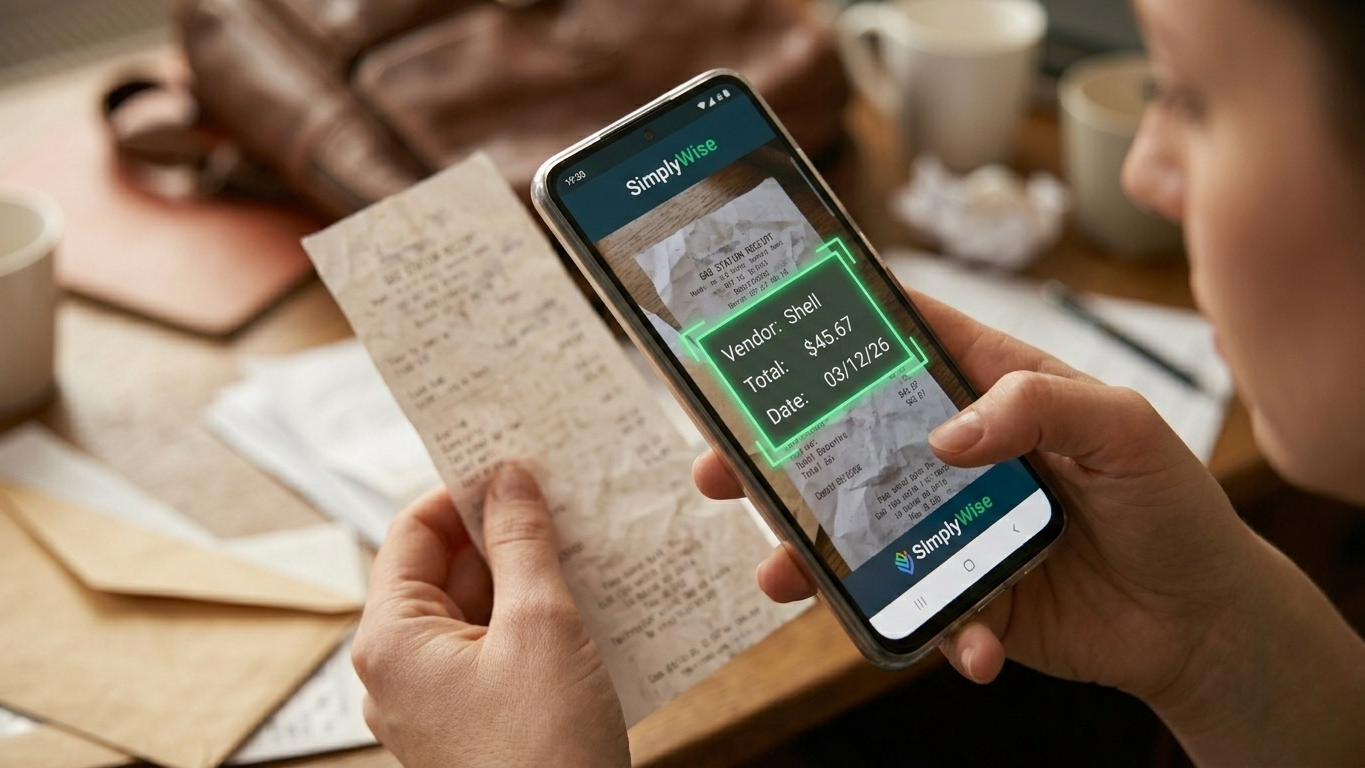
SimplyWise immediately feels different from generic document-scanning apps because it is clearly designed around tax preparation. Instead of simply saving images, the app focuses on turning receipts into organized financial records that are easy to search later.
During testing, its OCR performance was consistently impressive. Even faded thermal-paper receipts from coffee shops and parking garages were scanned accurately most of the time. The app extracted merchant names, dates, totals, taxes, and payment methods with minimal correction required.
What makes SimplyWise especially useful for freelancers is its automatic categorization system. Expenses are grouped into tax-friendly categories that resemble common Schedule C deduction types, which can save a surprising amount of cleanup work later.
Another helpful feature is digital invoice syncing. The app can connect to services like Gmail and Amazon to pull in electronic receipts alongside physical scans, helping centralize everything in one place instead of splitting records across multiple inboxes and folders.
Excellent OCR accuracy, even on damaged or faded receipts
Smart tax-focused categorization tools
Supports PDF, Excel, and image exports
Helpful for both paper and digital receipts
Free storage limits can feel restrictive for heavy users
Bank and account syncing occasionally needs manual refreshing
Free version available. Premium plans unlock additional storage, syncing, and advanced organizational features.
Best free option for budget-conscious users
Wave has long been popular among freelancers because its accounting platform offers a surprisingly generous free tier. The mobile app extends that ecosystem onto your phone, allowing users to upload and organize receipts while also managing invoices, payments, and bookkeeping.
One important clarification: Wave’s receipt scanning exists inside the broader accounting platform. It is not a dedicated scanner-first app like some competitors. That means the experience feels more bookkeeping-oriented than lightweight or minimal.
Still, for users already managing their finances with Wave, the integration is extremely convenient.
During testing, receipt uploads were smooth and reliable. Snap a photo, upload it to your account, and it becomes part of your cloud bookkeeping system instantly. OCR-based automatic extraction is available, but unlike some older reviews online may suggest, it generally requires either Wave’s paid receipt-scanning service or a higher subscription tier.
Users on the free plan can still upload and store receipts manually, but they may need to enter details themselves.
Excellent integration with Wave’s accounting platform
Unlimited cloud receipt storage on standard plans
Clean, modern interface without excessive ads
Great option for freelancers already using Wave
Automatic OCR extraction is not fully free
Requires internet connectivity for uploads and syncing
Less streamlined than dedicated receipt-only apps
Core bookkeeping features remain free. OCR receipt scanning and automation tools require paid upgrades.
Best for professionals who travel frequently
Expensify has been around for years, and there is a reason it continues to dominate expense-report conversations. Its SmartScan system remains one of the most polished OCR engines currently available on mobile.
The app is technically designed with businesses and employee reimbursements in mind, but it still works extremely well for solo professionals handling taxes independently.
When we tested Expensify with restaurant bills, hotel invoices, and transportation receipts, the app handled edge detection and text extraction extremely well. It automatically cleaned up shadows, corrected perspective distortion, and captured totals accurately in most situations.
One standout feature is email forwarding. If you receive digital receipts for flights, subscriptions, or online purchases, you can forward them directly into your account without needing screenshots or manual uploads.
Expensify also includes mileage tracking and multi-currency support, making it especially useful for consultants, sales professionals, or remote workers who travel internationally.
Fast and highly accurate SmartScan OCR
Reliable cloud backups and security features
Excellent for travel expenses and mileage tracking
Supports receipt forwarding via email
Interface can feel overly corporate for solo users
Free plan limits SmartScans each month
Expense approval tools may feel unnecessary for freelancers
Free plan includes limited monthly SmartScans. Paid plans start around $5 per user per month.
Best for massive receipt backlogs
Shoeboxed takes a completely different approach from most receipt apps. Instead of simply giving you scanning software, it also offers a physical mail-in service for people drowning in paperwork.
And honestly, that may be exactly what some users need.
If you subscribe to eligible plans, Shoeboxed sends prepaid “Magic Envelopes” that you can fill with old receipts, invoices, and paper documents. Their team scans and processes everything for you, then uploads organized digital copies into your account.
For anyone facing years of unorganized paperwork, this can save an enormous amount of time.
The mobile app itself is solid as well. OCR accuracy was generally strong during testing, and the search tools made it easy to locate transactions later by vendor, category, or date.
Shoeboxed also provides IRS-friendly digital storage, which is reassuring for users worried about long-term compliance and audits.
Human-reviewed scanning improves accuracy
Ideal for huge paper receipt backlogs
Strong search and organization tools
Saves hours of manual scanning work
Significantly more expensive than software-only apps
App interface feels slightly dated compared to newer competitors
Best value only comes with higher subscription tiers
Plans typically start around $18–$23 per month depending on document volume.
The best receipt scanner really depends on how you manage your business finances.
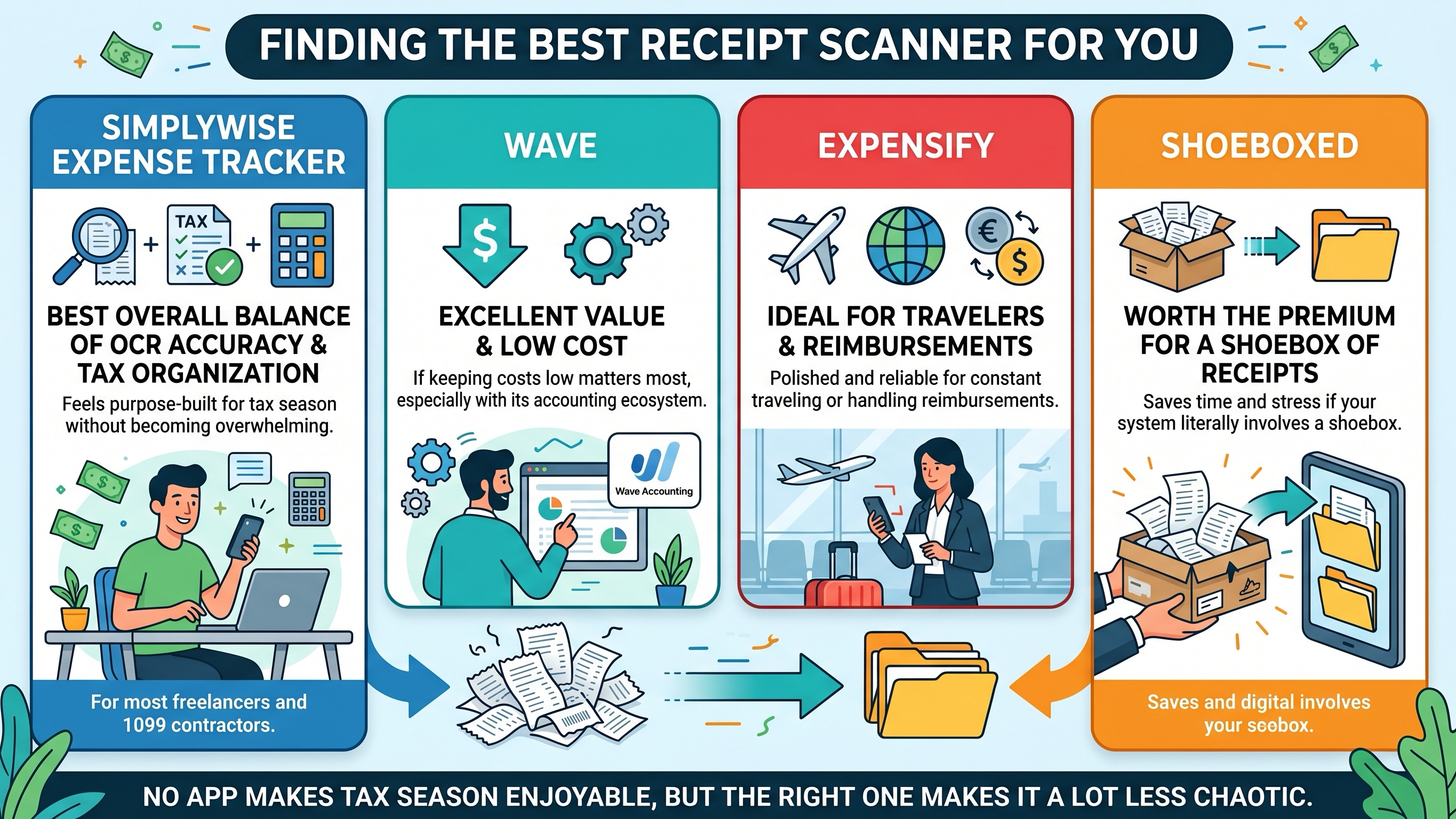
If you want the best overall balance of OCR accuracy, tax organization, and simplicity, SimplyWise Expense Tracker is probably the strongest option for most freelancers and 1099 contractors. It feels purpose-built for tax season without becoming overwhelming.
If keeping costs low matters most, Wave offers excellent value, especially if you are already using its accounting ecosystem.
For professionals constantly traveling or handling reimbursements, Expensify remains one of the most polished and reliable choices available today.
And if your current filing system literally involves a shoebox full of receipts, Shoeboxed may be worth the premium price simply for the time and stress it saves.
No app can make tax season enjoyable, but the right one can make it a lot less chaotic.